

HERAVSL
A Flux LoRA trained on a local computer with Fluxgym

- Prompt
- HERAVSL
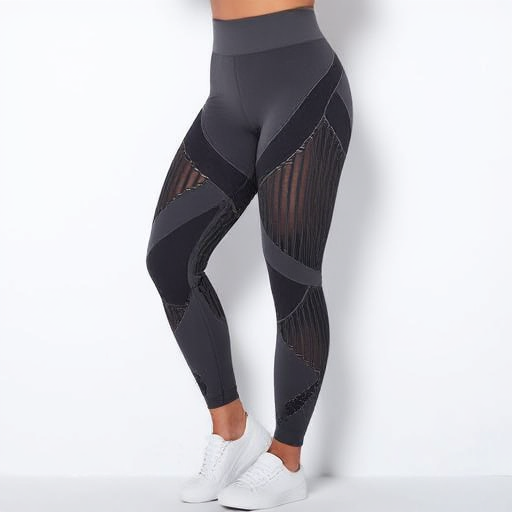
- Prompt
- This image features a person wearing HERAVSL, showcasing a lower body profile view. The leggings are black with mesh cut-out details and a high waist design, paired with white sneakers. The background is plain and white, highlighting the leggings' design. The lighting is bright and even, providing a clear view of the garment's texture and the person's toned legs.
Trigger words
You should use HERAVSL to trigger the image generation.
Download model and use it with ComfyUI, AUTOMATIC1111, SD.Next, Invoke AI, Forge, etc.
Weights for this model are available in Safetensors format.
- Downloads last month
- 3
Model tree for yvesfogel/heravsl-v2
Base model
black-forest-labs/FLUX.1-dev